
 English
 Deutsch
High End Skin Retouching: Texture Over Plastic
September 24, 2026
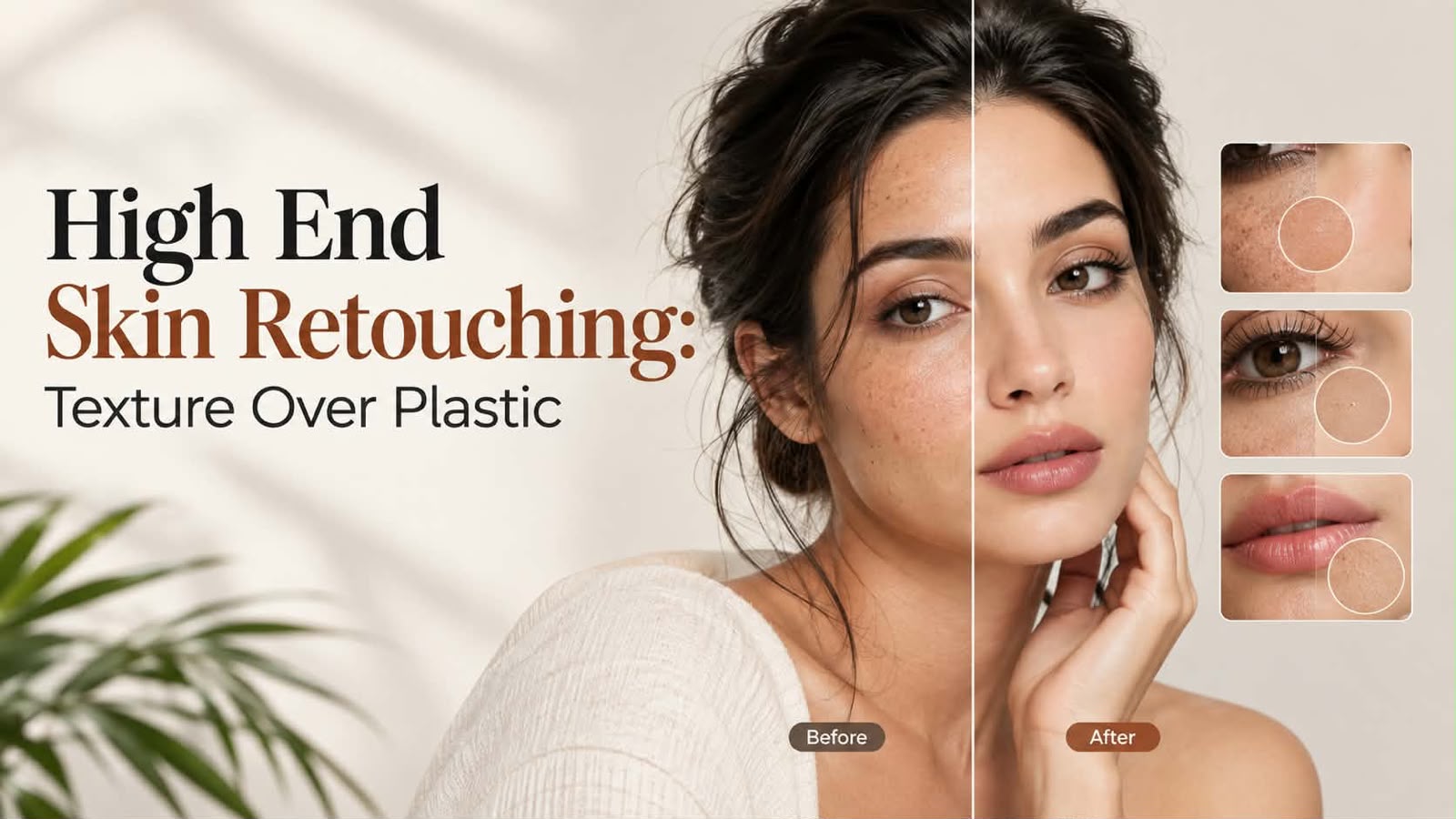
High-end skin retouching preserves texture, avoids plastic skin. Frequency separation, dodging vs blurring, how to brief retouchers.
High end skin retouching is not about making skin look perfect. It's about making skin look like skin.
There's a visible difference between retouching done well and retouching that makes skin look plastic, airbrushed, and artificial. A customer viewing a portrait can feel when something is off. The skin looks too smooth. The pores have disappeared. The face looks like it's been digitally painted.
This is why the professional standard in fashion and beauty retouching has shifted. The goal is now texture preservation, not texture elimination. Frequency separation, dodging and burning, and selective blurring done thoughtfully create natural-looking results. Heavy blurring and over-smoothing create the plastic skin look that kills credibility.
This guide covers the difference between frequency separation done well and the plastic-skin trap, why texture preservation is the professional standard now, dodge and burn versus blurring, and how to brief a retoucher on the level of retouching you actually want.
Why High End Skin Retouching Matters
Skin is the most forgiving canvas in retouching, but it's also the most scrutinized. A customer looking at a beauty product image stares at the model's skin. If it looks unnatural, the entire image loses credibility.
High end skin retouching builds trust. Natural-looking skin suggests confidence in the product. Plastic-looking skin suggests the brand is hiding something.
Skin retouching affects conversion. A model with natural-looking skin performs better in ads and product pages. Skin that looks over-retouched causes skepticism and lowers engagement.
Skin retouching sets the tone for the entire brand. If one image has plastic skin and others look natural, inconsistency damages brand perception.
The professional standard has evolved. Five years ago, very smooth skin was considered aspirational. Now, skin with natural texture is considered high-end and professional. Texture means authenticity.
The Plastic Skin Problem
Plastic skin is the result of over-retouching. It happens when retouchers prioritize smoothness over texture. The result is skin that looks digitally painted, unrealistic, and unnatural.
Signs of plastic skin: all pores are gone, creating an unnaturally smooth surface. The skin has a matte, flat appearance with no depth. Skin tone looks uniform with no natural variation. The skin looks two-dimensional rather than three-dimensional. There's a visible difference in texture between the skin and other parts of the image (like eyes or lips).
How it happens: excessive blurring of the entire skin. Using clone stamp or healing tools too heavily. Applying the same amount of smoothing to all areas (eyelids, cheeks, forehead). Not preserving any natural skin texture. Using AI tools that remove all skin detail indiscriminately.
Why it's problematic: it looks artificial and damages credibility. Viewers subconsciously notice something is off. It can feel manipulative, like the brand is hiding something. It ages poorly. What looks trendy today looks over-processed next year.
Frequency Separation: The Professional Technique Done Right
Frequency separation is the professional standard for high end skin retouching. It separates skin texture from skin tone, allowing retouchers to smooth color while preserving texture.
How it works: the image is divided into two layers. One layer contains color information (tone, blemishes, discoloration). The other layer contains texture information (pores, lines, surface details). A retoucher can then adjust color and tone without touching texture. Or vice versa. This gives control and precision.
Frequency separation done well: color is evened out (blemishes are reduced, tone is uniform). Texture is preserved (pores and natural skin detail remain visible). The result looks like retouched skin, not plastic skin.
Frequency separation done poorly: both texture and color are excessively smoothed. The technique is applied so aggressively that skin looks plastic. Or the technique is applied inconsistently, creating visible editing artifacts.
The skill lies in restraint. A good retoucher uses frequency separation to refine, not erase. Skin looks better but still looks like skin.
Texture Preservation as the Professional Standard
The shift toward texture preservation happened because consumers noticed the difference. Plastic-looking skin became a red flag, not aspirational.
Professional retouchers now prioritize keeping skin texture visible. This means: keeping pores visible (though refined). Keeping fine lines visible (though softened). Keeping natural skin variation and freckles visible (though smoothed). Keeping three-dimensional depth in the face.
The goal is to make skin look like the best version of itself, not like a different person. A retouched portrait should still look like the person, just refined.
This standard applies across fashion, beauty, editorial, and commercial photography. Over-retouching is now considered amateurish, not professional.
Dodge and Burn Versus Blurring
There are different techniques for skin retouching. Understanding the difference helps you brief a retoucher on what you want.
Blurring. This smooths the entire skin surface. When done subtly, it refines texture. When done heavily, it creates plastic skin. Excessive blurring removes all pores and texture, which looks unnatural.
Dodge and burn. This is selective lightening (dodging) and darkening (burning) of specific areas. It's used to create dimension, reduce blemishes, and shape the face. Done well, dodge and burn looks natural because it uses the image's existing tones. It doesn't erase texture.
Healing and cloning. This removes specific blemishes or imperfections by sampling nearby skin. Effective for pimples, scars, or other isolated issues. Used selectively, it looks natural. Used excessively, it creates an unnatural, patched appearance.
Color correction. This evens out skin tone and reduces discoloration. This alone can make skin look significantly better without blurring texture.
Professional high end skin retouching combines these techniques thoughtfully. A retoucher might use color correction first, then selective dodge and burn, then minimal blurring only where needed. Texture is preserved throughout.
How to Brief a Retoucher on the Level You Want
Clear communication prevents over-retouching or under-retouching.
Start with reference images. Show examples of retouched skin you like. Show examples you don't like. Say "I want skin to look like this" or "I don't want skin to look like this." Let the retoucher see your vision.
Describe texture preferences. Do you want skin texture visible or invisible? Do you want pores to be visible? Do you want freckles or natural skin variation to remain? Be specific.
Specify blemish treatment. Do you want all blemishes removed or only obvious ones? Some clients want minor imperfections left. Others want a completely clean appearance. Say what you prefer.
Discuss sheen and finish. Do you want matte or dewy skin? Do you want skin to have dimension or be flat? Does your brand prefer natural-looking skin or retouched-looking skin?
Be honest about your brand standard. If your brand shows natural-looking skin, say so. If your brand is more glamorous and polished, say that too. Different brands have different standards.
Provide feedback on test edits. When the retoucher sends test images, critique them specifically. Say what's working and what isn't. A good retoucher will use this feedback to adjust the approach for the full batch.
Don't assume. Don't assume all retouchers have the same standard. Some prefer plastic skin. Some prefer texture. You need to tell them what you want.
High End Skin Retouching Standards Checklist
- Skin tone is even and natural-looking
- Blemishes are minimized or removed as requested
- Skin texture remains visible (pores, fine detail)
- Skin maintains three-dimensional depth
- No visible editing artifacts or halos
- Color is consistent across the face
- Dodge and burn creates natural dimension
- No excessive blurring or plastic appearance
- Freckles or natural details remain if requested
- Skin looks like the person, just refined
- Texture matches the brand standard
- Retouching is invisible (doesn't look over-processed)
FAQ
Q: How do I know if skin is over-retouched?
A: Look at pores. If all pores have completely disappeared, it's likely over-retouched. Look at texture. If skin looks flat and matte with no three-dimensional detail, it's over-retouched. Compare to the person's actual skin. If the retouched version looks dramatically different, it's probably over-retouched.
Q: What's the difference between frequency separation and regular skin smoothing?
A: Frequency separation allows separate control of color and texture. You can even out skin tone and reduce blemishes without touching texture. Regular smoothing blurs everything equally, which often removes texture and creates plastic skin. Frequency separation is more precise.
Q: Should I request all pores removed or keep some visible?
A: Most professional retouchers recommend keeping pores visible. Completely removing all pores creates plastic skin. A refined, slightly refined appearance with visible pores looks more natural and professional. Discuss with your retoucher what matches your brand.
Q: How do I brief a retoucher if I've never done this before?
A: Send reference images of skin retouching you like and don't like. Say whether you want heavy retouching or light retouching. Specify whether you want pores and texture visible or invisible. Ask the retoucher to do a test image first so you can see their style and provide feedback before they do the full batch.
High end skin retouching is about refinement, not transformation. The professional standard now prioritizes natural-looking skin with preserved texture over plastic-looking over-retouched skin. This builds trust and credibility with customers. Our portrait retouching service specializes in texture-preserving retouching that looks natural and professional. Test your portraits with a free test batch to see how high-end retouching elevates your imagery.
%401x.svg)


